
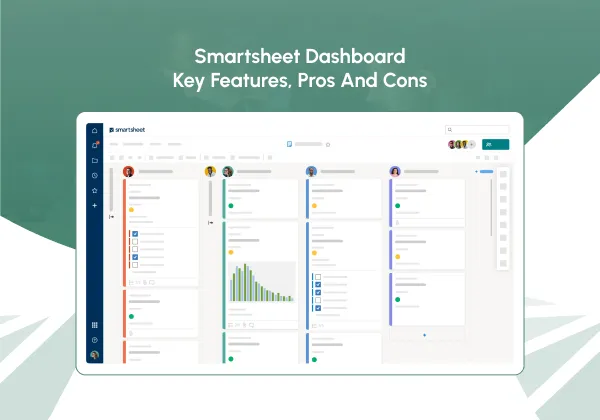
Managing projects effectively needs more than just task lists, it requires clear visibility, smooth collaboration, and real-time insights into progress. Smartsheet has become a go-to platform for teams looking for this balance, combining the understanding of spreadsheet-style layouts with advanced project management tools. Central to its demand is the Smartsheet dashboard, which offers a combined visual overview of project status, key metrics, and resource allocation.
But does the Smartsheet dashboard truly distribute the depth and functionality that modern project managers require? In this article, we’ll explore its core features, benefits, limitations, and practical use cases, helping you determine if it’s the right tool to keep your projects on track, on time, and within budget.
What Is Smartsheet?
Smartsheet is a cloud-based work management platform built to support teams in planning, tracking, and executing projects of any scale. Unlike traditional spreadsheet software like Excel, Smartsheet includes project management features such as task tracking, automation, resource management, and reporting.
Smartsheet is highly versatile and widely used across industries, from marketing and IT to construction and healthcare. Its multi-view approach, including grid, Gantt chart, calendar, and card views, allows teams to organize their work in the way that best suits their processes. Furthermore, Smartsheet integration with popular apps such as Microsoft Teams, Google Workspace, Salesforce, and Slack ensures seamless collaboration and information flow between systems.
One of Smartsheet’s biggest strengths lies in its scalability. Small teams can use it as a simple task tracker, while large enterprises can transform it into a full-fledged project portfolio management solution. Smartsheet also supports workflow automation, allowing users to create rules that trigger notifications, update fields, or move data automatically, helping teams cut down on repetitive administrative work. The platform’s governance and security features, such as role-based permissions and audit trails, make it suitable for organizations that handle sensitive data or operate under compliance standards.
For teams looking for real-time project oversight, dashboards are a crucial feature. They offer a centralized view of project metrics, letting stakeholders track progress without navigating multiple sheets or reports.
Boost Your Workflow with Smartsheet
Let's ConnectDoes Smartsheet Have a Dashboard?
Yes, Smartsheet includes a dashboard feature, but with some important caveats. The dashboard is mainly a visual hub where managers can collect data from multiple sheets and reports using customizable widgets. This allows teams to create high-level summaries, track KPIs, and share updates with stakeholders.
While the Smartsheet dashboard can display charts, reports, text, images, and web content in one place, it needs significant manual configuration. Unlike some competitors, it doesn’t automatically aggregate all project data, which can be a drawback for teams with complex or fast-moving projects.
Shortly, Smartsheet dashboards offer visibility and aesthetics, but their functionality is often restricted when it comes to profound project management analysis.
Despite this limitation, Smartsheet’s dashboards excel in flexibility and branding customization. Organizations can design dashboards that reflect their brand identity with company colors, logos, and specific layout choices, creating professional, presentation-ready summaries. Moreover, Smartsheet allows data to be pulled from multiple sources, meaning users can combine information from marketing, operations, and finance sheets into a single cohesive view. For teams that prioritize transparency and reporting, this level of customization makes dashboards a valuable communication tool.
Key Features of Smartsheet Dashboards
The Smartsheet dashboard is built around configurable widgets, which are the building blocks for visualizing project data. Here’s what makes it a useful tool for managers:
Customizable Widgets
-
-
- Display live data from sheets and reports.
- Options include charts, metrics, text blocks, images, and web content.
- Widgets can be arranged, resized, and colored to match project branding.
-
Multiple Chart Types
-
-
- Supports line charts, bar charts, stacked bars, pie charts, donuts, and scatter plots.
- Useful for tracking progress, performance trends, and resource allocation.
-
Real-Time Updates
-
-
- Widgets display live data that updates automatically when the source sheet changes.
- Keeps managers and stakeholders informed without manual intervention.
-
Integration Capabilities
-
-
- Dashboards can embed external content, including forms, videos, or dashboards from platforms like Power BI and Tableau.
- Enhances visualization and provides a broader view of project performance.
-
Sharing Options
-
-
- Dashboards can be shared with team members, published as public links, or embedded on other websites.
- Facilitates collaboration and transparent reporting to stakeholders.
-
Mobile Accessibility
-
- Dashboards are viewable on the Smartsheet mobile app, ensuring managers can monitor projects on the go.
Another feature worth noting is role-based dashboard visibility. Admins can control who sees what information, allowing confidential data (like budgets or client details) to remain restricted while general progress data is shared widely. Additionally, dashboard templates allow teams to replicate best practices across multiple departments or clients, ensuring consistent presentation and reporting standards without starting from scratch every time.
These features make the Smartsheet dashboard a powerful visualization tool, ideal for reporting and stakeholder updates. However, there are limitations when it comes to detailed project analysis.
Get Expert Smartsheet Guidance
Let's ConnectPros of Smartsheet Dashboards
Using a Smartsheet dashboard comes with several advantages:
- Centralized View: Consolidates multiple sheets and reports into a single visual hub.
- Customizable Widgets: Flexibility to present data in charts, metrics, images, and web content.
- Real-Time Data: Automatically updates based on changes in the underlying sheets.
- Integration-Friendly: Embeds content from third-party tools for enhanced reporting.
- Stakeholder Visibility: Dashboards can be shared easily with team members and executives.
- Professional Presentation: Well-designed visuals make reporting more impactful.
For teams demanding high-level snapshots of project progress, Smartsheet dashboards provide a clean and intuitive solution.
Limitations of Smartsheet Dashboards
Despite its advantages, the Smartsheet dashboard has significant limitations that can affect project management efficiency:
Manual Setup
-
-
- Each widget must be connected to a sheet or report individually, which can be time-consuming.
- Complex dashboards require careful planning to maintain accuracy.
-
Limited Advanced Analytics
-
-
- Cannot track planned vs. actual performance or schedule variance.
- No built-in cost tracking or resource balancing visuals.
-
Portfolio-Level Limitations
-
-
- Rolling up data across multiple projects requires manual configuration or premium add-ons.
- Real-time aggregation of multiple project dashboards is not seamless.
-
Lack of Interactive Features
-
-
- No drill-down capabilities or dynamic filters across all widgets.
- KPIs cannot trigger automated alerts or color-coded warnings.
-
Performance Concerns
-
-
- Dashboards pulling from large datasets or multiple sheets may experience slow load times.
- Manual updates may be required to maintain accurate metrics.
-
No Baseline or Variance Tracking
-
- Cannot visually track deviations from planned schedules or budgets.
- Teams must rely on separate sheets for baseline comparisons.
These restrictions make Smartsheet dashboards better suited for high-level reporting rather than detailed project monitoring or performance evaluation.
Practical Use Cases of Smartsheet Dashboards
Regardless of its limitations, Smartsheet dashboards are useful for certain scenarios:
- Executive Reporting: Share project status, KPIs, and high-level metrics with leadership.
- Team Updates: Provide quick snapshots of progress to keep teams aligned.
- Cross-Functional Projects: Consolidate data from multiple departments for a unified view.
- Marketing Campaigns: Track timelines, approvals, and campaign milestones.
- Compliance Tracking: Monitor audits, approvals, or regulatory metrics in real time.
For more thorough project analysis, teams often need to supplement Smartsheet dashboards with additional project management tools.
How to Build a Smartsheet Dashboard?
Creating a Smartsheet dashboard involves a few key steps:
Create a New Dashboard
-
-
- Open Smartsheet, select “Create New,” then choose “Dashboard/Portal.”
-
Add Widgets
-
-
- Include charts, metrics, images, text blocks, or web content.
- Link each widget to the corresponding sheet or report.
-
Customize Layout and Design
-
-
- Resize, color-code, and position widgets for clarity and visual appeal.
-
Configure Sharing and Permissions
-
-
- Share dashboards with team members, stakeholders, or publish externally.
-
Monitor and Update
-
- Keep underlying sheets organized to ensure real-time accuracy.
While straightforward, manual setup can be tedious, especially for complex projects with multiple data sources.
Smartsheet Dashboard Pricing
The dashboard feature is included only in paid plans:
- Free Plan: Dashboards not included.
- Pro Plan ($9/user/month, billed annually): Dashboards available with up to 10 widgets.
- Business Plan ($19/user/month, billed annually): Higher widget limits, advanced sharing, and customization.
- Enterprise Plan (custom pricing): Unlimited widgets, enhanced governance, and enterprise controls.
It’s important to note that organizations with advanced reporting needs often require premium add-ons like Control Center or Resource Management by Smartsheet. These tools extend dashboard functionality with portfolio-level summaries, automated rollups, and enhanced analytics. While they come at an extra cost, they significantly reduce manual work and improve visibility for large-scale operations.
For teams relying comprehensively on dashboards, upgrading to Business or Enterprise plans could be essential.
Conclusion
The Smartsheet dashboard is a valuable feature for teams looking for visual summaries, quick reporting, and stakeholder updates. Its customizable widgets, real-time updates, and integration capabilities make it a useful tool for surface-level project oversight. By understanding the pros and cons of the Smartsheet dashboard, managers can make informed decisions about whether it fits their workflow or if complementary tools are necessary for achieving project success.
Why Partner with Veridian Solutions for Smartsheet Success?
As a Smartsheet Gold Partner, Veridian Solutions helps teams unlock far more value from their Smartsheet dashboards, turning complex data into clear, actionable insights. Whether you need advanced data connections, executive-ready dashboards, or visuals tailored to your workflow, Veridian ensures everything is built for clarity, accuracy, and ease of use.
With extensive consulting experience across industries, the team specializes in automated workflows, integrations, and portfolio-level reporting that reduce manual effort and strengthen decision-making. Beyond implementation, Veridian emphasizes training and adoption, ensuring your team can confidently use Smartsheet as a scalable, long-term solution.
For organizations seeking better visibility, smoother reporting, and stronger project operations, Veridian delivers the expertise and partnership needed to achieve lasting success.
Book Your Smartsheet Demo Today
Let's Connect




At Veridian Solutions, we have a team of highly skilled and experienced consultants who specialize in helping you streamline your processes without taking on a second job. We are Smartsheet experts and help you get the most out of the platform.